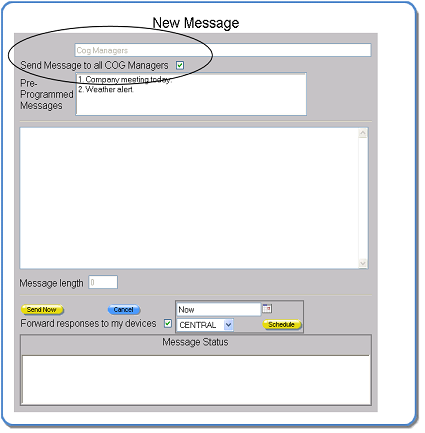
System Support Users Only: Sending a Message to All COG Managers
Users assigned the System Support or System Manager user type can choose to send a message to all COG Managers for all companies. This feature is used to send support information to the customer managers.
A message can be sent to all COG Managers when sending a message immediately, scheduling a message for delivery at a future date and time, and forwarding a message. A reply to a received message cannot be sent to all COG Managers.
When a System Support user or System Manager sends or forwards a message, the message screen includes the Send Message to all COG Managers option. Select this option to send or forward the message to all of the COG Managers in all COGS. When this option is selected, the message recipient list is automatically changed to “COG Managers”. Any individuals or message groups previously selected are removed from the list.