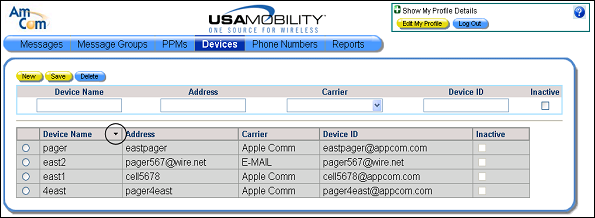
Sorting the Device List
The list of devices in the device screen can be sorted alphabetically by device name, either numerically, then A to Z or Z to A, then numerically.
1. Select the Devices option from the menu bar. The Devices screen displays.
2. Click the arrow button in the Device Name column to re-sort the column.
· Click the down arrow button to sort the devices numerically first, then alphabetically from A to Z.
· Click the up arrow button to sort the devices alphabetically from A to Z first, then numerically.