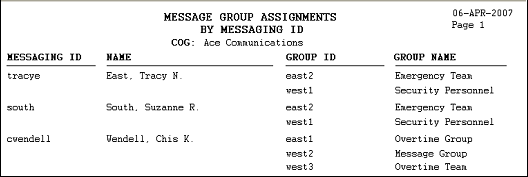
Message Group Assignment Report
The Message Group Assignments report shows message group assignments for the individuals in a company. A person is not included in the report if the person is not assigned to a message group.
1. Select the Reports option from the menu bar. The user reports display.
2. Click the icon for the Message Group Assignment report.
3. The report parameter screen displays in a new browser window. The COG field is populated with the user’s COG by default. The default COG cannot be changed.
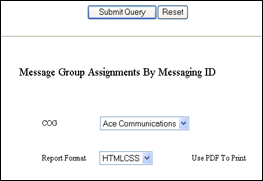
4. Choose a report format option from the Report Format list box. Choose the PDF option if you want to print the report.
5. Click the Submit Query button to run the report.