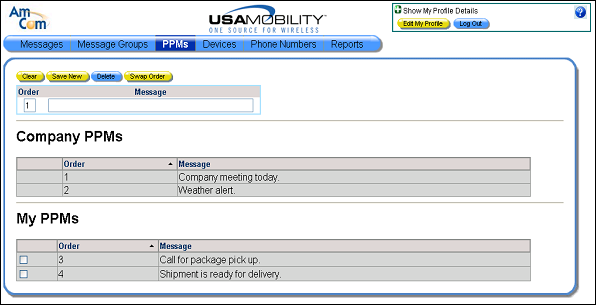
Deleting a PPM
A user PPM can be deleted from the list if it is no longer needed. An end user cannot delete a company PPM.
1. Select the PPMs option from the menu bar. The PPM screen displays.
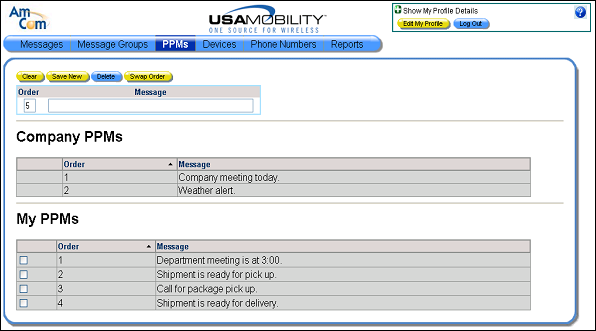
2. Click in the selection boxes next to the user PPMs that should be deleted. More than one can be selected.
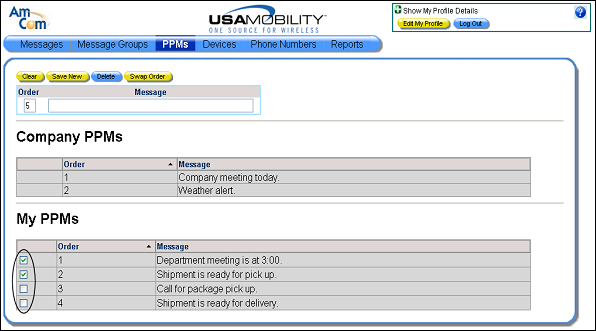
3. Click the Delete button. A warning message displays, verifying the number of PPMs that will be deleted.
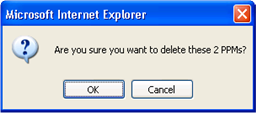
4. Click the OK button to close the warning message and continue. The selected PPMs are deleted and the screen refreshed.